|
Common UV transfer problems in Maya Maya
4.5/5.0 |
|
I've run into this problem so many times with student's that I figured it was about time I posted something on it. I'd like to thank Estefan Vinces for providing the broken sample model as well as Steven T.L. Roselle for coming up with the fix. Maya's transfer UV operation works best (and sometimes exclusively) on objects with identical vertex counts and Vertices ordering. There are two ways to tell if the operation was successful and both must occur. 1) Perform a transfer. 2) Check your model with a texture applied in a viewport. |
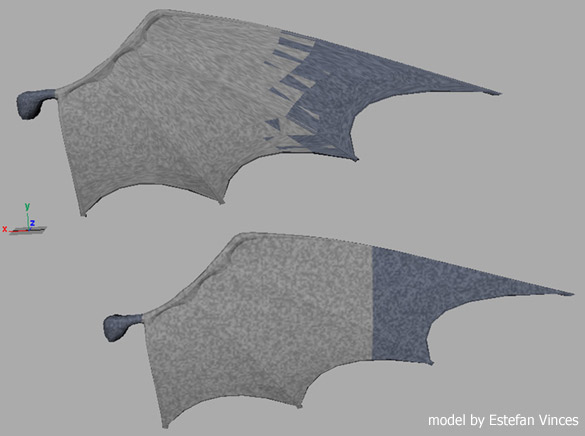 |
|
3) Flip your normals to correct the problem Conclusion: This common problem occurs mostly on model's which have been mirrored using a -X transform and then had their translations frozen. If you follow some of the following workflow options you should be able to avoid this problem Option 1: Select original object and duplicate. Immediately transfer UV's to duplicate. Now scale -x. Now freeze Transforms. Option 2: You already have duplicated your object, scaled it -x and then frozen transforms. Try deleting history on the duplicate, then translate -x again. Freeze translates. Now Transfer UV's, sclae -x again and then freeze transforms to get it all back together. Option 3: Don't delete history. Scale your object -x. Freeze Transforms. Transfer UV again. Scale -x again. Freeze transforms again. (this may work...) |
| For more great tutorials visit www.persistentvisions.com |